
Miami Cruise / Apps / vim-airline
vim-airline
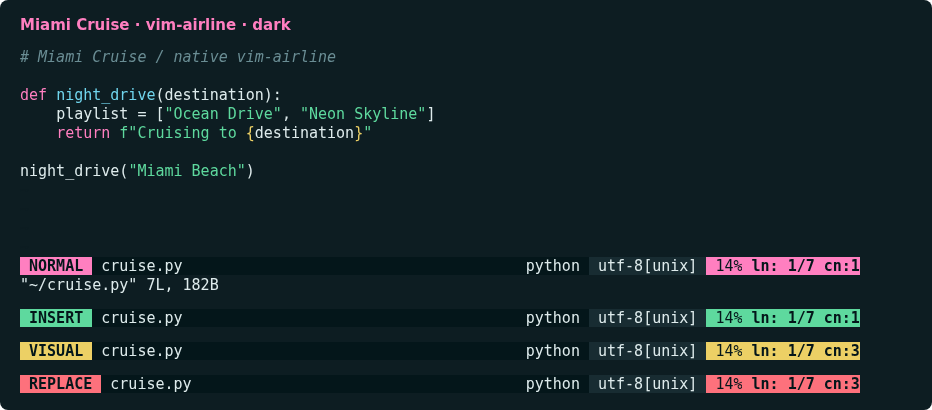
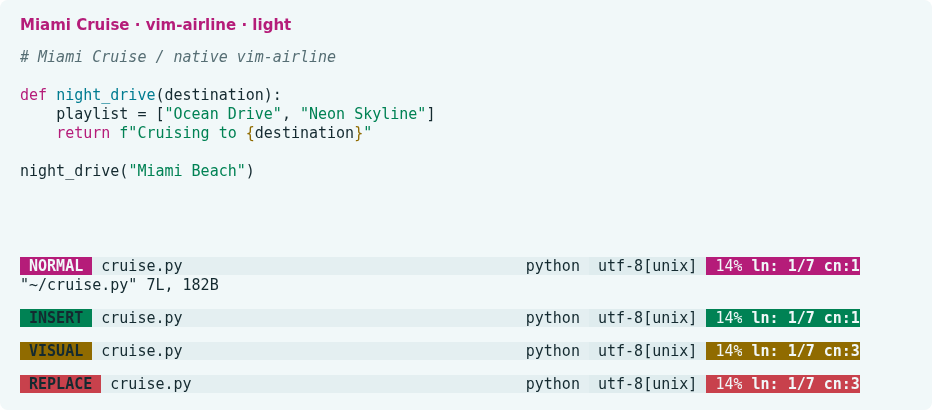
Mode-aware Miami Cruise colours for your existing airline status line.
Install
Download
Download
miami_cruise.vim. Then open a terminal in the folder where it was saved (usuallyDownloads).Requires vim-airline, not bundled. Independent of the Vim/Neovim Miami Cruise colorscheme; preserves sections, separators and extensions. Includes xterm-256 fallbacks.
curl -fsSLO https://lanjelin.github.io/miami-cruise/downloads/airline/miami_cruise.vimInstall into your runtime path
Install vim-airline first using your existing plugin manager. Download miami_cruise.vim, then copy it into the matching runtime directory. Back up any existing same-named file.
Vim · Linux / macOSmkdir -p ~/.vim/autoload/airline/themes cp miami_cruise.vim ~/.vim/autoload/airline/themes/Neovim · Linux / macOSmkdir -p ~/.config/nvim/autoload/airline/themes cp miami_cruise.vim ~/.config/nvim/autoload/airline/themes/On Windows use vimfiles/autoload/airline/themes under your Vim user directory, or autoload/airline/themes under Neovim’s stdpath("config"). Respect custom XDG/runtime paths.
Select the theme
Merge into your existing vimrc/init.vim, before airline initializes. Select light instead for a light terminal. For init.lua use vim.g.airline_theme = "miami_cruise" and vim.o.background = "dark".
set background=dark set termguicolors let g:airline_theme = "miami_cruise"Restart the editor, or run :AirlineTheme miami_cruise. After changing background, run that command again to reload the matching palette. No fonts, layout, editor colorscheme or automatic system appearance switching are configured.
Restore
Restore your previous airline_theme setting and any replaced file, then restart the editor or select the previous theme with :AirlineTheme. Remove only this installation’s unchanged file. Do not remove vim-airline or unrelated settings.
Native theme reference: https://github.com/vim-airline/vim-airline/blob/master/autoload/airline/themes/dark.vim
Install with an agent
Paste this prompt into an agent with web access and access to the machine where your apps run. No cloning, building or manual file downloads needed.
Help me install Miami Cruise. Read
https://raw.githubusercontent.com/lanjelin/miami-cruise/main/INSTALL.md
and follow its linked playbooks. Inspect and propose installation for vim-airline only; ask which variant I want.
Download the selected files yourself from the project website or a pinned GitHub revision. Propose exact changes and wait for my approval before making changes. Include private backups and conflict-aware restoration instructions and scripts before applying changes.The agent inspects first and asks for approval. If it cannot access your machine, it can provide tailored commands instead. Read the installation and restoration guide.