
Miami Cruise / Apps / btop
btop
A calm system dashboard with readable graphs and magenta focus.
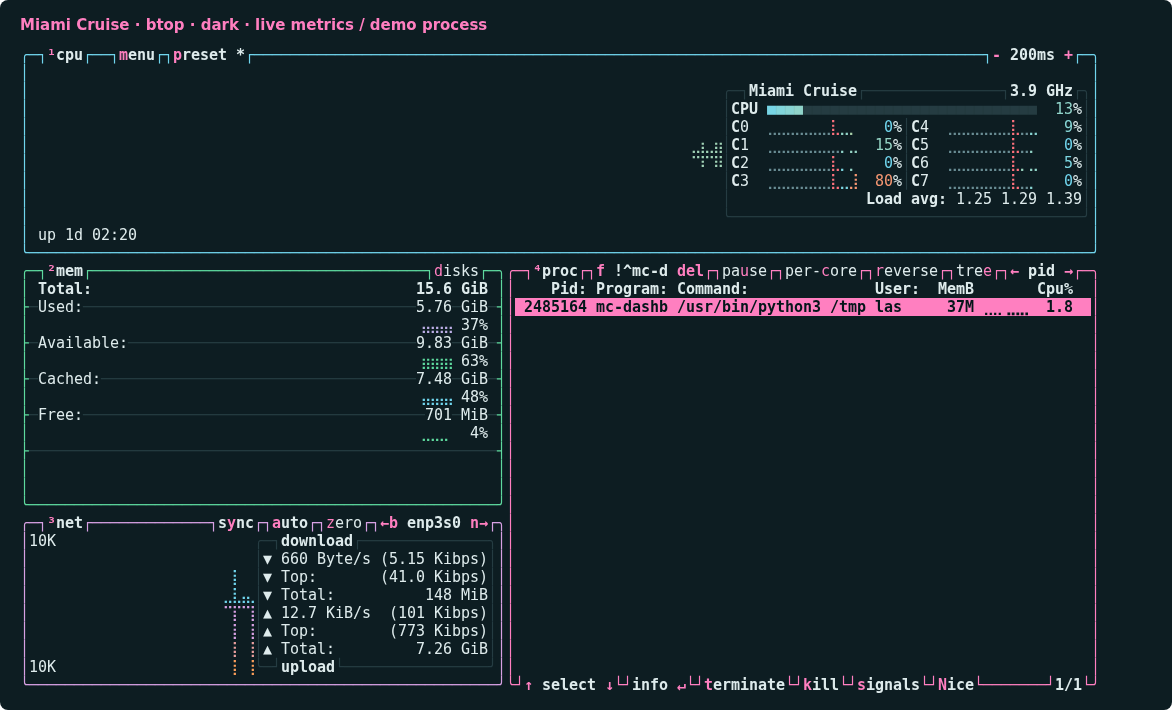
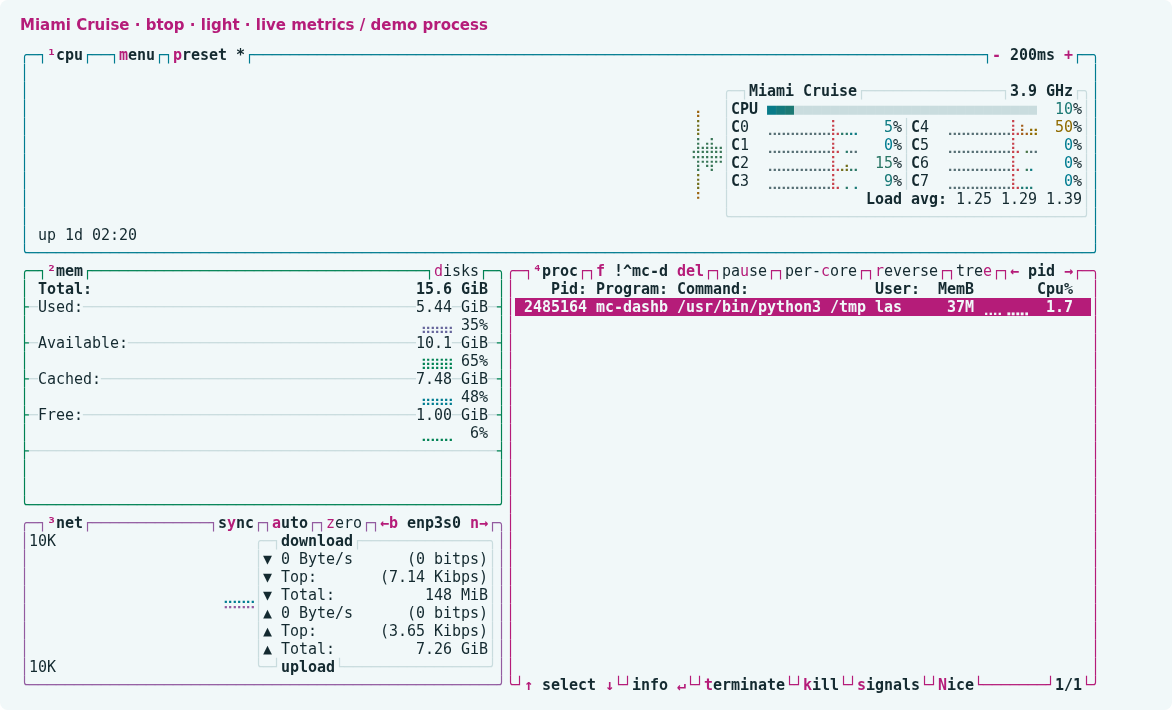
Install
Download
Download
miami-cruise-dark.themeandmiami-cruise-light.theme. Then open a terminal in the folder where they were saved (usuallyDownloads).These are native
.themefiles, notbtop.confreplacements. They only define colours; your monitoring settings and layout stay unchanged.curl -fsSLO https://lanjelin.github.io/miami-cruise/downloads/btop/miami-cruise-dark.theme curl -fsSLO https://lanjelin.github.io/miami-cruise/downloads/btop/miami-cruise-light.themeInstall the native theme files
Install btop first. Copy the two theme files into your btop themes directory. This does not replace your existing
btop.conf. If you previously customized files with the same names, keep a backup before replacing those files.Linux / macOSbtop_dir="${XDG_CONFIG_HOME:-$HOME/.config}/btop" mkdir -p "$btop_dir/themes" cp miami-cruise-dark.theme miami-cruise-light.theme "$btop_dir/themes/" btopInside btop, press
Escto open the menu, chooseOptions, then selectmiami-cruise-darkormiami-cruise-lightunderColor theme. btop saves the selection on exit. There is no automatic dark/light switching in these theme files.Use your terminal background without replacing your config
Enable
Truecolorand disableTheme backgroundin Options to let your terminal background show through. If editing your existingbtop.confwhile btop is closed, update these existing keys rather than appending duplicate settings:color_theme = "miami-cruise-dark" truecolor = true theme_background = falseWith
theme_background = false, btop uses your terminal background; use a matching terminal theme. Set it totrueif you prefer the exact Miami Cruise background.--low-colorquantizes RGB to 256 colours. TTY mode forces btop's built-in 16-colour TTY theme, so it cannot show the full palette. Process colour/gradient settings also affect how the colour ramps appear.If you use a nonstandard theme folder or launch btop with a custom
--configfile, pass an explicit theme directory. These options are supported by the tested btop 1.4.8:Linux / macOSbtop --themes-dir /absolute/path/to/themes # With your own config file: btop --config /absolute/path/to/btop.conf --themes-dir /absolute/path/to/themesTo uninstall, select another theme in Options and exit btop, then remove the two Miami Cruise theme files. Other btop settings are left intact.
This port targets btop on Linux/macOS. Windows btop4win and bpytop/bashtop have not been tested. GPU-specific monitoring is hardware-dependent and was not available during testing. Native theme reference: https://github.com/aristocratos/btop#themes
Install with an agent
Paste this prompt into an agent with web access and access to the machine where your apps run. No cloning, building or manual file downloads needed.
Help me install Miami Cruise. Read
https://raw.githubusercontent.com/lanjelin/miami-cruise/main/INSTALL.md
and follow its linked playbooks. Inspect and propose installation for btop only; ask which variant I want.
Download the selected files yourself from the project website or a pinned GitHub revision. Propose exact changes and wait for my approval before making changes. Include private backups and conflict-aware restoration instructions and scripts before applying changes.The agent inspects first and asks for approval. If it cannot access your machine, it can provide tailored commands instead. Read the installation and restoration guide.