
Miami Cruise / Apps / fzf
fzf
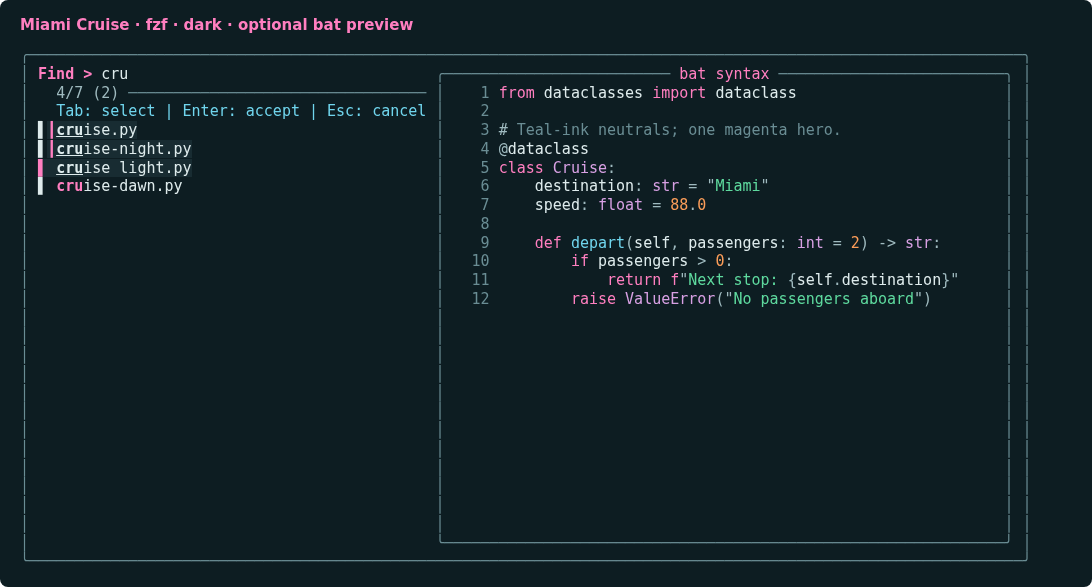
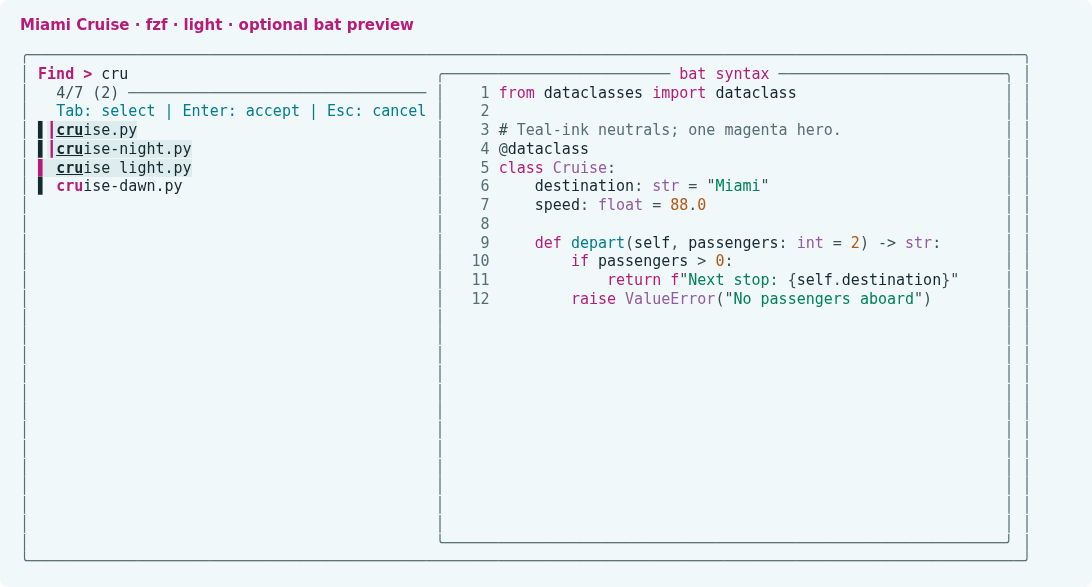
Magenta search highlights and clear selections over your terminal background.
Install
Download
Download
miami-cruise-dark.optsandmiami-cruise-light.opts. Then open a terminal in the folder where they were saved (usuallyDownloads).These are plain fzf option files containing only
--color, not shell scripts. Do not source them. No dependency on bat or delta is required.curl -fsSLO https://lanjelin.github.io/miami-cruise/downloads/fzf/miami-cruise-dark.opts curl -fsSLO https://lanjelin.github.io/miami-cruise/downloads/fzf/miami-cruise-light.optsLoad the colours alongside your current options
Install fzf first and keep the downloaded file in a permanent folder. Append its contents to your current
FZF_DEFAULT_OPTS, using the actual absolute path. The picker and preview base backgrounds use the terminal default (bg:-1); selected rows retain a tint. Use a matching dark/light terminal background. Existing bindings, layout and preview commands remain unchanged. Run once in your current shell to try it.Bash / Zshexport FZF_DEFAULT_OPTS="${FZF_DEFAULT_OPTS-} $(cat /absolute/path/to/miami-cruise-dark.opts)" fzfFishset -gx FZF_DEFAULT_OPTS "$FZF_DEFAULT_OPTS "(string join " " < /absolute/path/to/miami-cruise-dark.opts) fzfWindows (PowerShell)$theme = [System.IO.File]::ReadAllText("C:/absolute/path/to/miami-cruise-dark.opts").Trim() $env:FZF_DEFAULT_OPTS = "$env:FZF_DEFAULT_OPTS $theme" fzfFor light mode, substitute
miami-cruise-light.opts. There is no automatic switching in these files. To keep the theme, add the corresponding assignment once after your existing fzf options in your shell config; do not replace your config or repeatedly append the assignment. Remove that assignment to uninstall, then start a new shell.fzf also supports
FZF_DEFAULT_OPTS_FILE. If you do not already use it, you may point it at this file instead. If you already have an options file, keep it and use the append method above: replacing the variable would discard that file's settings. Explicit command-line colour options and integration-specific overrides can take precedence.Optional: add a matching bat preview
The fzf theme colours the picker and preview frame, not syntax emitted by other programs. Install the separate Miami Cruise bat port only if you want matching syntax colours. Then try this from a directory of source files (requires
rgandbat):Bash / Zshrg --files | fzf --multi --preview 'bat --color=always --paging=never --style=numbers --theme=miami-cruise-dark -- {}' --preview-window=right:60%For light mode, change both the loaded fzf options and bat's theme name. The preview command is an example only; the downloaded theme does not set a preview, keybindings, commands or layout.
Use a true-colour terminal. ANSI-coloured input and preview output may supply their own colours. The tested release is fzf 0.75.0; older versions may not recognize newer colour names. Native option reference: https://github.com/junegunn/fzf/blob/master/man/man1/fzf.1
Install with an agent
Paste this prompt into an agent with web access and access to the machine where your apps run. No cloning, building or manual file downloads needed.
Help me install Miami Cruise. Read
https://raw.githubusercontent.com/lanjelin/miami-cruise/main/INSTALL.md
and follow its linked playbooks. Inspect and propose installation for fzf only; ask which variant I want.
Download the selected files yourself from the project website or a pinned GitHub revision. Propose exact changes and wait for my approval before making changes. Include private backups and conflict-aware restoration instructions and scripts before applying changes.The agent inspects first and asks for approval. If it cannot access your machine, it can provide tailored commands instead. Read the installation and restoration guide.