
Miami Cruise / Apps / lazygit
lazygit
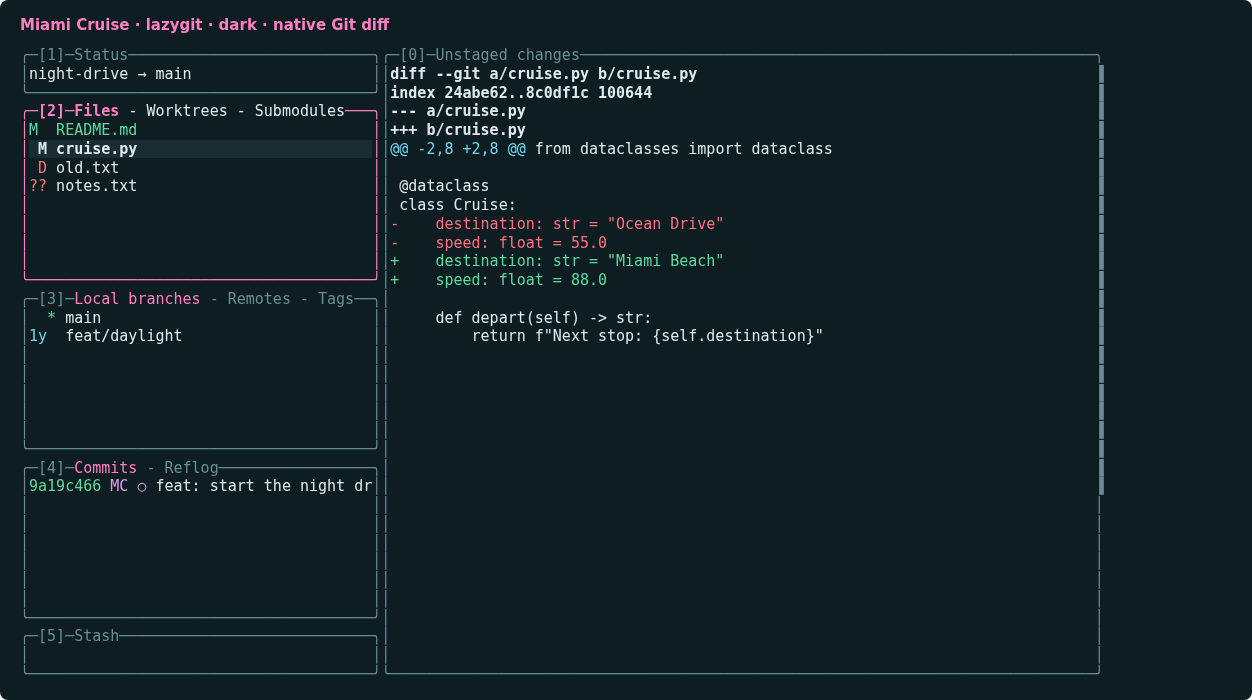
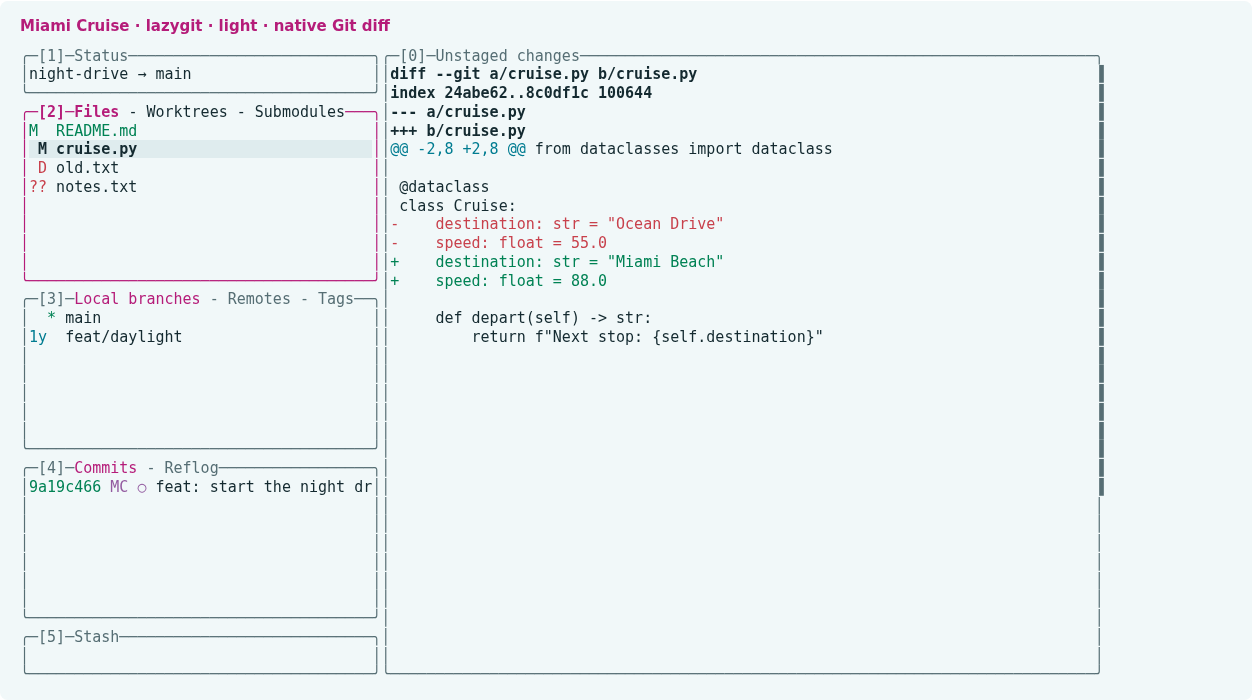
A calm Git interface with magenta focus, clear selections and readable status colours.
Install
Download
Download
miami-cruise.ymlandmiami-cruise-dark.ymlandmiami-cruise-light.yml. Then open a terminal in the folder where they were saved (usuallyDownloads).curl -fsSLO https://lanjelin.github.io/miami-cruise/downloads/lazygit/miami-cruise.yml curl -fsSLO https://lanjelin.github.io/miami-cruise/downloads/lazygit/miami-cruise-dark.yml curl -fsSLO https://lanjelin.github.io/miami-cruise/downloads/lazygit/miami-cruise-light.ymlLoad the theme as a separate config layer
Install lazygit first. Keep the downloaded theme in a permanent folder. The commands below load it after your existing config, preserving your other settings. Run them inside a Git repository, and use the actual absolute path to the theme.
macOS / Linuxlg_dir="$(lazygit --print-config-dir)" if [ -f "$lg_dir/config.yml" ]; then lazygit --use-config-file="$lg_dir/config.yml,/absolute/path/to/miami-cruise.yml" else lazygit --use-config-file="/absolute/path/to/miami-cruise.yml" fiWindows (PowerShell)$lgDir = lazygit --print-config-dir $baseConfig = Join-Path $lgDir "config.yml" $theme = "C:/absolute/path/to/miami-cruise.yml" if (Test-Path $baseConfig) { lazygit --use-config-file="$baseConfig,$theme" } else { lazygit --use-config-file=$theme }Alternatively merge the theme's
guikeys into your existing config (back it up first); do not replace the whole file or create duplicateguikeys. If you already use several config layers, append this theme to your current list. Repository-specific settings can override global settings.These files change appearance only: no keybindings, network behaviour, Git commands, layouts or pager preferences are set. To uninstall, remove the theme from your config-layer list, or restore the GUI keys you merged.
Optional: load the config layers through your environment
Instead of passing
--use-config-fileeach time, exportLG_CONFIG_FILEwith the same comma-separated paths. This example uses lazygit's reported config directory and the same theme-path placeholder as above. It preserves an existing layer list and adds the theme last:macOS / Linuxlg_dir="$(lazygit --print-config-dir)" lg_files="${LG_CONFIG_FILE:-}" if [ -z "$lg_files" ] && [ -f "$lg_dir/config.yml" ]; then lg_files="$lg_dir/config.yml" fi export LG_CONFIG_FILE="${lg_files:+$lg_files,}/absolute/path/to/miami-cruise.yml" lazygitWindows (PowerShell)$lgDir = lazygit --print-config-dir $baseConfig = Join-Path $lgDir "config.yml" $lgFiles = $env:LG_CONFIG_FILE if (!$lgFiles -and (Test-Path $baseConfig)) { $lgFiles = $baseConfig } $theme = "C:/absolute/path/to/miami-cruise.yml" $env:LG_CONFIG_FILE = if ($lgFiles) { "$lgFiles,$theme" } else { $theme } lazygitReplace the theme placeholder with its permanent absolute path. This sets the layer list for the current shell and child processes. For new sessions, put the resolved
LG_CONFIG_FILEassignment in your shell profile, keeping your existing layers and listing the theme only once; do not repeatedly append it on each startup. Use the automatic file shown here or substitute a fixed dark/light file. To stop loading the theme, remove only its path from the list.Choose automatic or fixed colours
miami-cruise.ymluses lazygit's nativegui.darkTheme/gui.lightThemesupport. It queries the terminal's background, not your desktop setting. If the terminal does not reply, lazygit defaults to dark. For a reliable manual choice, loadmiami-cruise-dark.ymlormiami-cruise-light.ymlinstead.Use a true-colour terminal with the matching Miami Cruise foreground, background and ANSI palette. lazygit does not set the terminal background; raw Git diffs and some status colours use terminal ANSI colours. The UI theme does not replace your diff renderer. Native automatic detection depends on terminal support; both automatic-file branches were tested with explicit colour-scheme overrides.
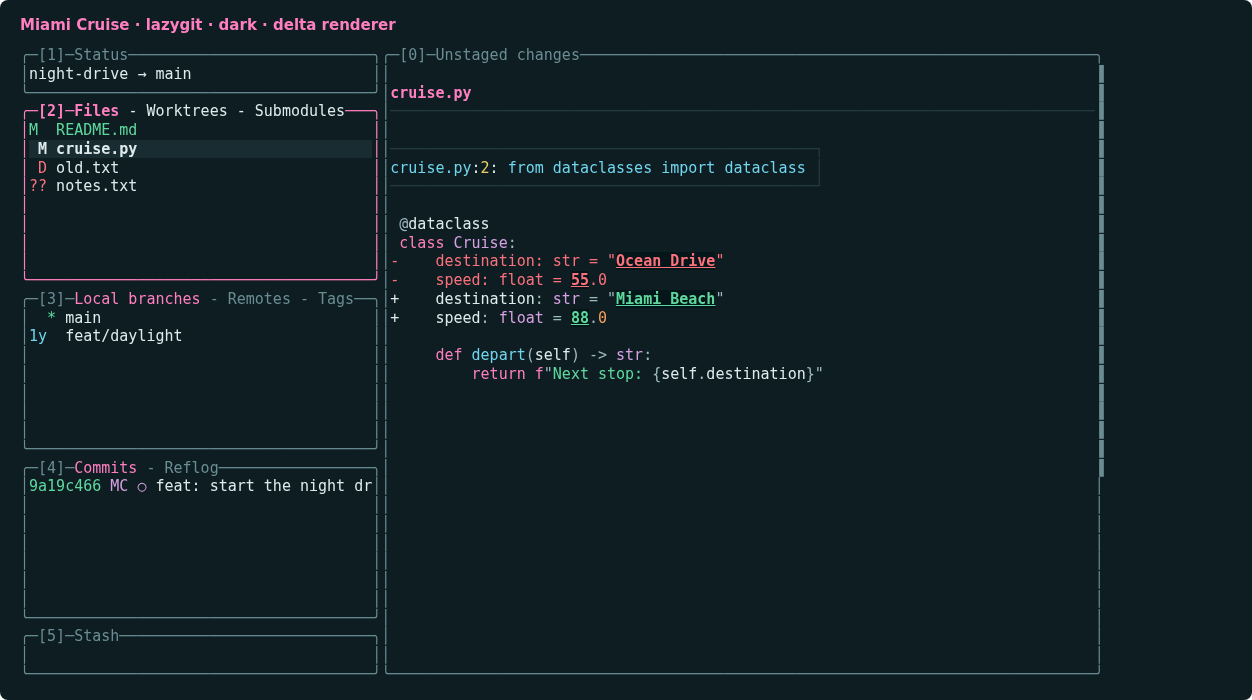
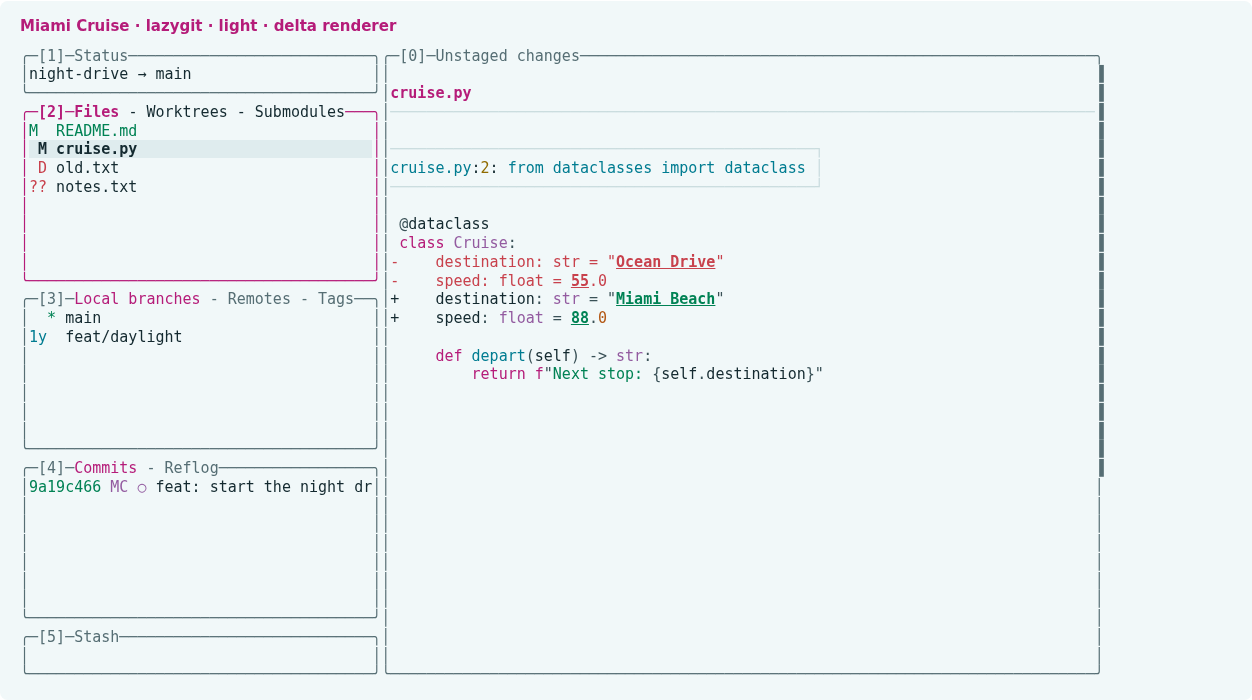
Optional: use the Miami Cruise delta diff renderer
Install the Miami Cruise delta port and its syntax cache first. Then merge this optional setting into your lazygit config. This example is for lazygit 0.66.3's
git.diffRenderersformat; older versions may usegit.pagers.git: diffRenderers: - name: Miami Cruise delta colorArg: never command: delta --features=miami-cruise-{{colorScheme}} --{{colorScheme}} --paging=never --true-color=alwaysThis selects the matching delta feature for lazygit's dark/light choice. delta must be on PATH, and its Miami Cruise feature definitions and compatible bat cache must already be installed. The plain lazygit theme has no dependency on bat or delta.
Install with an agent
Paste this prompt into an agent with web access and access to the machine where your apps run. No cloning, building or manual file downloads needed.
Help me install Miami Cruise. Read
https://raw.githubusercontent.com/lanjelin/miami-cruise/main/INSTALL.md
and follow its linked playbooks. Inspect and propose installation for lazygit only; ask which variant I want.
Download the selected files yourself from the project website or a pinned GitHub revision. Propose exact changes and wait for my approval before making changes. Include private backups and conflict-aware restoration instructions and scripts before applying changes.The agent inspects first and asks for approval. If it cannot access your machine, it can provide tailored commands instead. Read the installation and restoration guide.