
Miami Cruise / Apps / Neovim
Neovim
A Neovim colorscheme with Treesitter, LSP, diagnostics, diff, gitsigns and Telescope.
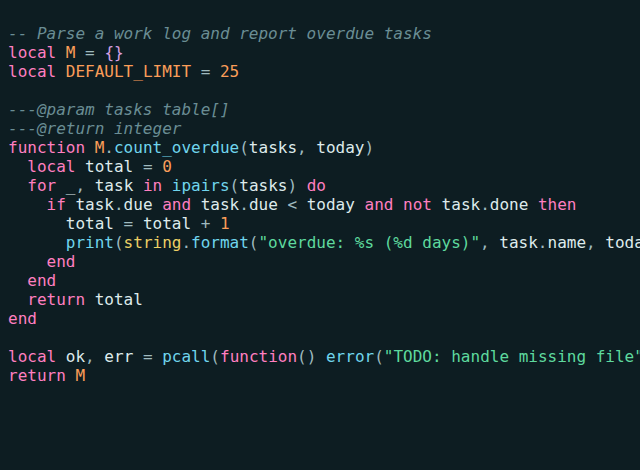
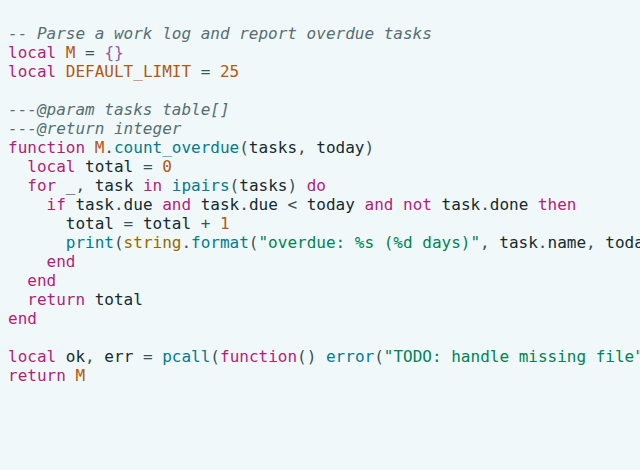
Install
Download
Download
miami-cruise.lua. Then open a terminal in the folder where it was saved (usuallyDownloads).curl -fsSLO https://lanjelin.github.io/miami-cruise/downloads/nvim/miami-cruise.luaPut it where Neovim looks for colorschemes
macOS / Linuxmkdir -p ~/.config/nvim/colors cp miami-cruise.lua ~/.config/nvim/colors/Windows (PowerShell)New-Item -ItemType Directory -Force "$env:LOCALAPPDATA\nvim\colors" | Out-Null Copy-Item miami-cruise.lua "$env:LOCALAPPDATA\nvim\colors\"If you set
$XDG_CONFIG_HOME, use$XDG_CONFIG_HOME/nvim/colors/instead.Turn it on
Add this to your
init.lua. To try it first, run:colorscheme miami-cruiseinside Neovim.vim.o.background = "dark" -- or "light" vim.cmd.colorscheme("miami-cruise")Switch between dark and light
The theme follows
'background'. Change it at any time and the colours update::set background=light.The main editor area, inactive windows, sign/fold columns and window bars inherit the terminal background by default. Set
vim.g.miami_cruise_opaque_background = 1before loading the colorscheme for an exact Miami Cruise fill. Reload the colorscheme after changing that setting. Keep your terminal in the matching dark/light mode.Selections, diff highlights, floating windows and status surfaces still have deliberate fills. It turns on
termguicolorsfor you, so a true-colour terminal is needed.
Install with an agent
Paste this prompt into an agent with web access and access to the machine where your apps run. No cloning, building or manual file downloads needed.
Help me install Miami Cruise. Read
https://raw.githubusercontent.com/lanjelin/miami-cruise/main/INSTALL.md
and follow its linked playbooks. Inspect and propose installation for Neovim only; ask which variant I want.
Download the selected files yourself from the project website or a pinned GitHub revision. Propose exact changes and wait for my approval before making changes. Include private backups and conflict-aware restoration instructions and scripts before applying changes.The agent inspects first and asks for approval. If it cannot access your machine, it can provide tailored commands instead. Read the installation and restoration guide.