
Miami Cruise / Apps / WezTerm
WezTerm
Colour schemes and tab bar that follow your system's dark or light setting.
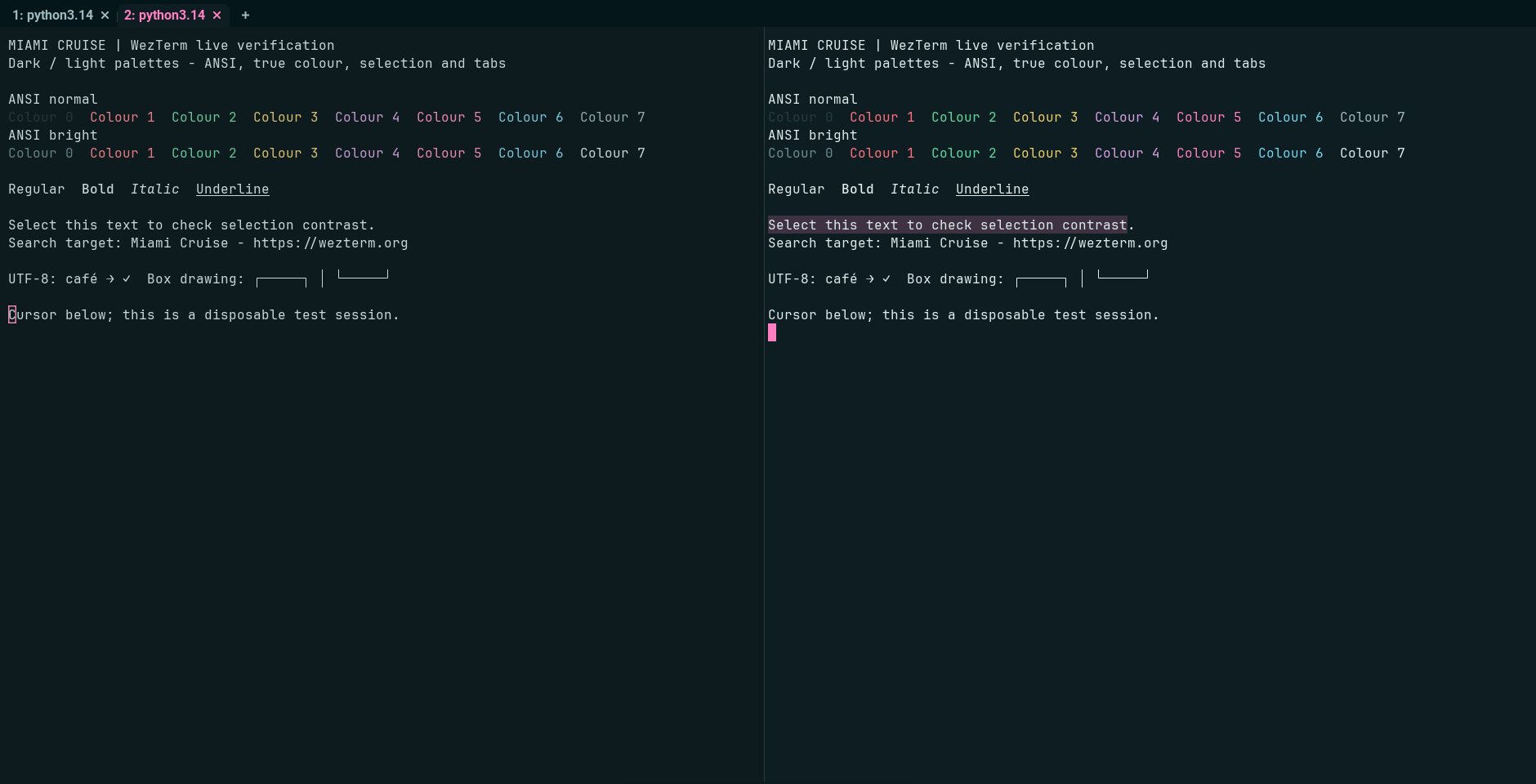
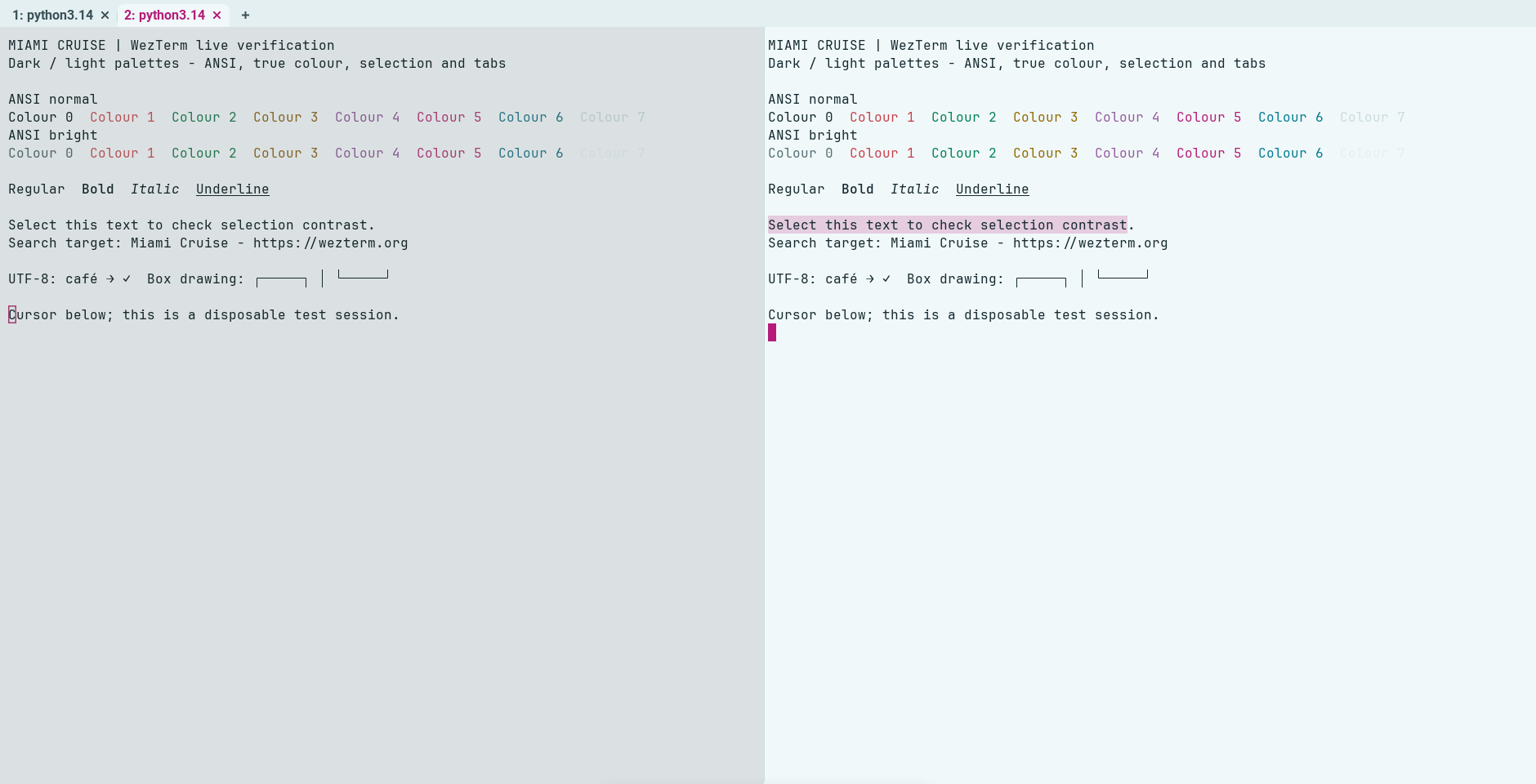
Install
Download
Download
miami-cruise.lua. Then open a terminal in the folder where it was saved (usuallyDownloads).curl -fsSLO https://lanjelin.github.io/miami-cruise/downloads/wezterm/miami-cruise.luaPut it next to your wezterm.lua
macOS / Linuxmkdir -p ~/.config/wezterm cp miami-cruise.lua ~/.config/wezterm/Windows (PowerShell)New-Item -ItemType Directory -Force "$HOME\.config\wezterm" | Out-Null Copy-Item miami-cruise.lua "$HOME\.config\wezterm\"It must sit in the same folder as your config file. If you use a single
~/.wezterm.lua, put it in your home folder.Load it in your config
Already have a config? Keep it and add the
package.pathandapply(config)lines near the end, beforereturn config. Back it up first. Remove conflicting oldconfig.colorsoverrides (for example selection colours), which otherwise override the selected scheme. The module merges window-frame colours without changing fonts, bindings, layout or tab-bar style; it replaces the tab-bar colour table.local wezterm = require("wezterm") local config = wezterm.config_builder() package.path = wezterm.config_dir .. "/?.lua;" .. package.path require("miami-cruise").apply(config) return configThat is all. The theme follows the system dark/light setting, and WezTerm reloads your config when the system switches.
Linux automatic appearance requires desktop support through
org.freedesktop.portal.Settings. If WezTerm cannot read the desktop appearance, use a fixedmodebelow. A successful fixed dark/light reload does not verify system switching.Force dark or light (optional)
Set
MIAMI_CRUISEtodark,lightorauto(the default) in the environment WezTerm starts from:macOS / LinuxMIAMI_CRUISE=light weztermWindows (PowerShell)$env:MIAMI_CRUISE = "light"; weztermOr pin it in the config file. The environment variable still wins over this:
require("miami-cruise").apply(config, { mode = "light" })Launched from the Dock or Start menu? Those don't see variables you set in a shell, so pin it in the config with
mode.The schemes are registered as
Miami CruiseandMiami Cruise Day. Select the variant throughapply(config, { mode = "light" })so terminal, tab-bar and window-frame colours stay in sync.
Install with an agent
Paste this prompt into an agent with web access and access to the machine where your apps run. No cloning, building or manual file downloads needed.
Help me install Miami Cruise. Read
https://raw.githubusercontent.com/lanjelin/miami-cruise/main/INSTALL.md
and follow its linked playbooks. Inspect and propose installation for WezTerm only; ask which variant I want.
Download the selected files yourself from the project website or a pinned GitHub revision. Propose exact changes and wait for my approval before making changes. Include private backups and conflict-aware restoration instructions and scripts before applying changes.The agent inspects first and asks for approval. If it cannot access your machine, it can provide tailored commands instead. Read the installation and restoration guide.