
Miami Cruise / Apps / delta
delta
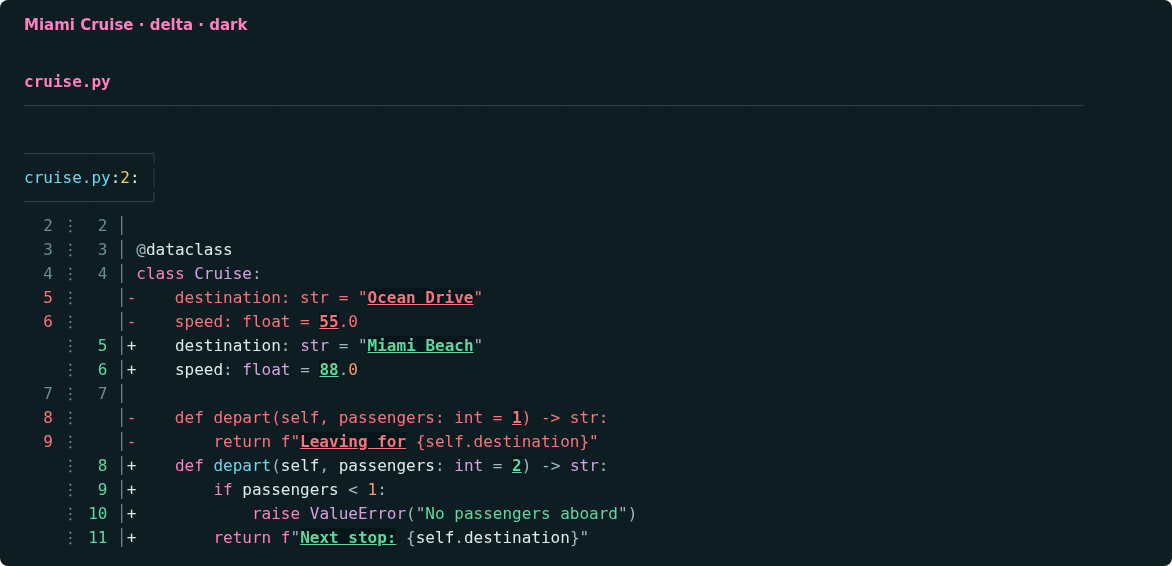
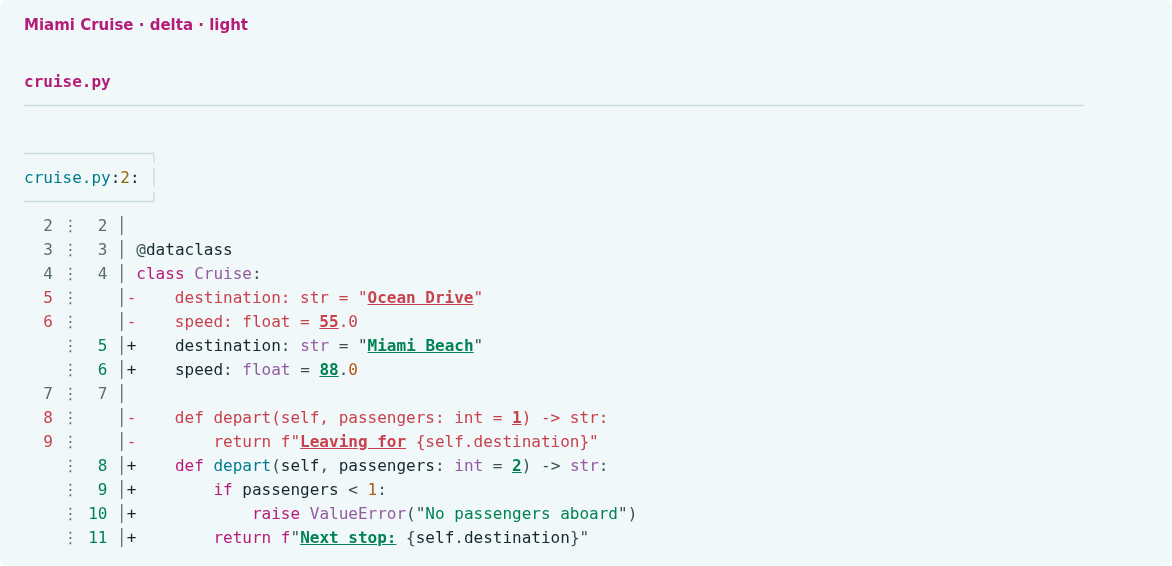
A Miami Cruise diff on your terminal background, with clear inline changes.
Install
Download
Download
miami-cruise.gitconfig.miami-cruise.gitconfigdefines the dark/light delta features and diff styles. Code-syntax colours use the shared Miami Cruise bat themes; see the bat install guide for those files and cache setup.curl -fsSLO https://lanjelin.github.io/miami-cruise/downloads/delta/miami-cruise.gitconfigConfigure delta's native theme
Install delta. Save
miami-cruise.gitconfigsomewhere permanent. Add the following to your Git config (usually~/.gitconfig), using the actual absolute path. On Windows, forward slashes work in the path, for exampleC:/Users/you/.config/delta/miami-cruise.gitconfig.[include] path = /absolute/path/to/miami-cruise.gitconfig [delta] features = miami-cruise-darkMerge these sections with your existing config. Keep other feature names you want, but select only one Miami Cruise variant. Explicit colour settings in your main delta config can override the feature. The theme does not force side-by-side view, paging or line-number preferences.
Choose
miami-cruise-lightinstead for light mode. The next step links to the shared code-syntax setup. Ordinary diff lines and hunk headers inherit the terminal background; inline changes and whitespace errors retain intentional fills. Use a true-colour terminal with a matching dark/light background.Use the shared bat syntax themes
delta uses bat's syntax-highlighting engine and reads its compiled syntax cache; it does not run the bat executable when displaying diffs. Follow the Miami Cruise bat install guide to download both syntax themes and build the cache. If you already completed that setup, do not install duplicate copies. Selecting
BAT_THEMEfor bat itself is optional here: delta's selected Miami Cruise feature sets its own syntax-theme name.After completing the bat setup, confirm that delta discovers
miami-cruise-darkandmiami-cruise-light:delta --no-gitconfig --list-syntax-themesdelta 0.20.1 does not honour
BAT_CACHE_PATH. If you use that override, rebuild bat's cache in the default location for delta, or set the same absoluteXDG_CACHE_HOMEfor both tools on macOS/Linux (cache:$XDG_CACHE_HOME/bat). Use compatible bat versions; these themes were verified with bat 0.26.1.Try it, then optionally make it your Git pager
git diff --no-ext-diff --no-color | delta --features=miami-cruise-dark --paging=neverIf you want delta as your pager, merge the following settings into Git config. Skip this if your pager is already configured.
[core] pager = delta [interactive] diffFilter = delta --color-onlyTo uninstall, remove the include and Miami Cruise feature name, and undo the pager settings only if you added them. Use the matching terminal background and a true-colour terminal; variant switching is manual.
Install with an agent
Paste this prompt into an agent with web access and access to the machine where your apps run. No cloning, building or manual file downloads needed.
Help me install Miami Cruise. Read
https://raw.githubusercontent.com/lanjelin/miami-cruise/main/INSTALL.md
and follow its linked playbooks. Inspect and propose installation for delta only; ask which variant I want.
Download the selected files yourself from the project website or a pinned GitHub revision. Propose exact changes and wait for my approval before making changes. Include private backups and conflict-aware restoration instructions and scripts before applying changes.The agent inspects first and asks for approval. If it cannot access your machine, it can provide tailored commands instead. Read the installation and restoration guide.